Finding the perfect laptop doesn’t have to drain your bank account. Whether you’re a student juggling online classes and assignments or a professional managing daily work tasks, the right budget laptop can deliver excellent performance without the premium price tag. In this guide, we’ve handpicked the ten best budget-friendly laptops that offer the perfect balance of power, portability, and value for money
Why Budget Laptops Are Better Than Ever
Technology has come a long way in recent years. Today’s affordable laptops pack capabilities that would have required premium models just a few years ago. With efficient processors, long-lasting batteries, improved displays, and solid build quality, budget laptops now rival mid-tier models from the past. You no longer have to sacrifice performance for affordability.
What to Look for in a Budget Laptop
Before diving into our top picks, here are the key features every student and professional should consider:
Battery Life – Look for at least 8-10 hours to get through a full day of classes or work without hunting for power outlets.
Portability – A lightweight design under 4 pounds makes it easy to carry between classes or meetings.
Display Quality – A Full HD (1920×1080) screen provides clear, crisp visuals for reading, writing, and streaming content.
Performance – Modern processors like Intel Core i3/i5 or AMD Ryzen 5 handle everyday tasks smoothly, from web browsing to document editing.
Storage and Memory – At least 8GB RAM and 256GB SSD storage ensure smooth multitasking and quick boot times.
Top 10 Budget-Friendly Laptops
1. Apple MacBook Air M1 (2020)
Best For: Students who value performance and battery life
The MacBook Air M1 remains an incredible value even in 2025. Apple’s revolutionary M1 chip delivers blazing-fast performance, all-day battery life (up to 18 hours), and a stunning Retina display—all in a sleek aluminum design. Despite being a few years old, this fanless laptop continues to outperform many newer Windows laptops in both speed and efficiency. The MacBook Air M1 is perfect for students who need a reliable machine for note-taking, research, video calls, and light creative work.
Key Features:
- Apple M1 chip with 8-core CPU
- Up to 18 hours of battery life
- 13.3-inch Retina display
- Fanless design (completely silent)
- Weighs only 2.8 lbs
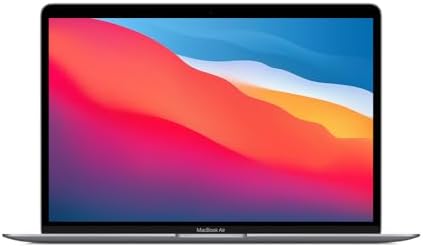
- Apple M1 Chip – Revolutionary 8-core CPU and 7-core GPU for blazing-fast performance and energy efficiency.
- 8GB Unified Memory – Smooth multitasking across apps and quick access to frequently used files.
- 128GB SSD Storage – Fast boot-up times and quick access to documents, apps, and media.
2. Lenovo IdeaPad Slim 3x
Best For: Anyone seeking exceptional battery life and everyday reliability
The Lenovo IdeaPad Slim 3x stands out as one of the best budget laptops of 2025. With an impressive 16-hour battery life, this 15-inch laptop keeps you productive throughout the day. The responsive keyboard makes typing comfortable during long study or work sessions, and the touchscreen display adds extra versatility. Its lightweight design and solid performance make it ideal for students, traveling professionals, or anyone who needs a reliable machine for basic tasks like web browsing, document editing, and streaming.
Key Features:
- 16+ hours of battery life
- 15-inch FHD touchscreen display
- Comfortable, snappy keyboard
- Lightweight and portable design
- Excellent value under $750
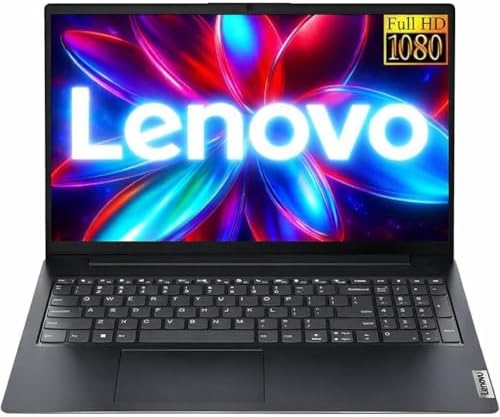
- 【Accessories】Includes Microsoft Office 365 subscription featuring Word, Excel, PowerPoint, Outlook, OneNote, and OneDriv…
- 【Processor】Boost your everyday productivity with the AMD Ryzen 3 7320U processor, featuring 4 cores and 8 threads with s…
- 【Memory and Storage】Support for up to 16GB of DDR5 memory and up to 2TB of SSD storage gives you the flexibility to mana…
3. Acer Aspire 5 (2025)
Best For: Budget-conscious users who need upgradeability
The Acer Aspire 5 delivers unbeatable value for everyday computing needs. While it may not have the brightest display on the market, it makes up for it with solid performance, upgradeable RAM and storage, and a large 15.6-inch screen that’s perfect for reading and writing. The Intel Core i5 processor handles multitasking with ease, and the battery lasts roughly 9-10 hours in light use. This laptop is a sensible choice for students on tight budgets who want a machine they can upgrade down the road.
Key Features:
- Intel Core i5 processor
- 8GB RAM (upgradeable)
- 15.6-inch Full HD display
- 256GB SSD (upgradeable)
- Approximately 9.5 hours of battery life
4. Lenovo ThinkPad E16 Gen 1
Best For: Business students and professionals prioritizing productivity
The ThinkPad E16 Gen 1 brings legendary ThinkPad quality to the budget segment. With a spacious 16-inch display and the famous ThinkPad keyboard, this laptop excels at productivity and multitasking. Available with either Intel or AMD processors, it offers robust performance for handling multiple applications simultaneously. The larger screen gives you more room to work with spreadsheets, presentations, and research papers side by side. If you need a capable workhorse without the hefty price tag, the E16 Gen 1 strikes the perfect balance.
Key Features:
- 16-inch display for enhanced productivity
- Legendary ThinkPad keyboard
- Choice of Intel or AMD processors
- Excellent build quality
- Professional design suitable for business use

- 【Upgraded】 Seal is opened for Hardware/Software upgrade only to enhance performance. 16.0″ IPS 1920×1200 60Hz Refresh Ra…
- 【Powerful Performance with Ryzen 5 7530U Hexa Core】 3rd Gen Ryzen 5 7530U 2.00GHz Processor (upto 4.5 GHz, 16MB Cache, 6…
- 【High Speed and Multitasking】 16GB DDR4 RAM (8GB Onboard + 8GB SODIMM); 65W Power Supply, 3-Cell 47 WHr Battery; Graphit…
5. HP Pavilion 15 (2025)
Best For: Students and families needing a versatile all-rounder
The HP Pavilion 15 offers excellent value with its touchscreen display, generous storage, and reliable performance. Whether you’re attending online classes, creating presentations, or streaming content, this laptop handles everyday tasks with ease. The 15.6-inch Full HD touchscreen responds quickly to taps and swipes, making navigation intuitive. With up to 11 hours of battery life and multiple USB ports including USB-C, it’s a practical choice for students and professionals who need connectivity options.
Key Features:
- 15.6-inch FHD touchscreen
- Intel Core i3 or i5 processor options
- Up to 16GB RAM and 512GB SSD
- Wi-Fi 6 connectivity
- Up to 11 hours of battery life

- Efficient Performance: Intel Core i3 (8 Cores, 8 Threads, Max Boost Clock Up to 3.80Ghz, 6MB Cache). Intel UHD Graphics….
- Vibrant Display and Portability: Features a 15.6″ Full HD (1920 x 1080) display for clear visuals, in a slim design weig…
- Enhanced Connectivity Options: Offers Wi-Fi 6, Bluetooth, multiple USB 3.1 ports, HDMI, and a headphone/microphone combo…
6. ASUS Vivobook S 15
Best For: Students who want a premium display experience
If you value screen quality, the ASUS Vivobook S 15 impresses with its gorgeous 15.6-inch 3K OLED display running at 120Hz. Colors pop, text looks incredibly sharp, and the high refresh rate makes scrolling smooth. Powered by the efficient Snapdragon X Elite processor with 16GB RAM, this laptop delivers excellent battery life—roughly 15 hours for light tasks. It’s perfect for long study sessions, content consumption, and anyone who spends hours staring at their screen.
Key Features:
- 15.6-inch 3K OLED 120Hz display
- Snapdragon X Elite processor
- 16GB RAM
- Up to 15 hours of battery life
- Vibrant colors and excellent contrast

- Powerful Intel Core Ultra 7 processor 155H 16-Core (Base Clock 2.5GHz, Up to 4.8 GHz with Intel Turbo Boost Technology, …
- [[ Customization ]] Upgraded to 16GB DDR5 SDRAM 7467 MHz | 1TB NVMe M.2 Solid State Drive | Windows 11 Home
- Brilliant 15.6″ 3K (2880 x 1620) 600 nits, 100% DCI-P3 color gamut, Low Blue Light, 120Hz, Thin Bezel LCD Display. Power…
7. Lenovo IdeaPad Flex 5i Chromebook Plus
Best For: Students who live in the Google ecosystem
The Lenovo Flex 5i Chromebook Plus offers exceptional value as a versatile 2-in-1 device. Its 360-degree hinge allows you to use it as a laptop, tablet, or anything in between. The bright 1200p touchscreen works great for taking notes, browsing websites, and watching shows. ChromeOS is lightweight and secure, making it perfect for students who primarily use web-based applications and Google Workspace. At under $500, it’s hard to find better value in a convertible laptop.
Key Features:
- 360-degree convertible 2-in-1 design
- Bright 1200p touchscreen
- Lightweight and durable build
- Fast performance for web-based apps
- Comfortable keyboard for typing

- 【Touchscreen Display】This 14-inch WUXGA display has a resolution of 1920 x 1200 for crisp visual effects. Equipped with …
- 【Powerful Processor】The Lenovo IdeaPad Flex 5i Chromebook Plus 2-in-1 Laptop comes with an Intel i3-1315U processor with…
- 【Sufficient Capacity】The Lenovo IdeaPad 2-in-1 laptop comes with up to 8GB of RAM designed for essential tasks and uses …
8. Acer Aspire 3
Best For: Extreme budget shoppers who need basic functionality
When every dollar counts, the Acer Aspire 3 delivers unbeatable everyday value. While it won’t win any awards for premium features, it handles essential tasks like web browsing, email, document editing, and streaming video without breaking a sweat. The Aspire 3 proves that you don’t need to spend a fortune to get a functional laptop. It’s perfect for high school students, casual users, or anyone who needs a simple, reliable computer for basic computing needs.
Key Features:
- AMD Ryzen or Intel processor options
- 4-8GB RAM
- 128-256GB SSD storage
- 15.6-inch HD display
- Lightweight design

- Premium Typing Comfort – Full-size backlit keyboard enhances typing in low-light environments, perfect for professionals…
- Powerful Performance – Powered by the AMD Ryzen 5 7430U processor and Up to 64GB DDR4 RAM for smooth multitasking, fast …
- Stunning Visual Experience – 15.6″ Full HD (1920 x 1080) Acer ComfyView LED-backlit display delivers bright, sharp visua…
9. ASUS ZenBook 14
Best For: Students wanting a premium look on a budget
The ASUS ZenBook 14 delivers ultrabook style without the ultrabook price. This lightweight laptop features a sleek aluminum design that looks far more expensive than it actually is. With a 14-core processor, touchscreen display, and fast SSD storage, it handles productivity tasks smoothly. The compact 14-inch form factor makes it highly portable, perfect for students who need to carry their laptop everywhere. If you want something that feels premium without spending premium prices, the ZenBook 14 is an excellent choice.
Key Features:
- Premium aluminum design
- 14-inch touchscreen display
- Intel 14-core processor
- Fast SSD storage
- Lightweight and portable

- Stunning Visual Experience: Immerse yourself in a 14-inch WUXGA OLED touch display featuring breathtaking 1920×1200 re…
- Powerful AMD Performance & AI: Equipped with the AMD Ryzen 7-8840HS (8 cores, 16 threads) and AMD XDNA NPU for acceler…
- Advanced Graphics & Responsive Multitasking: Experience powerful integrated graphics performance, featuring Radeon 780M …
10. Microsoft Surface Laptop Go 3
Best For: Students who prefer Windows with premium design
The Surface Laptop Go 3 brings Microsoft’s signature premium design to the budget category. Its clean, minimalist aesthetic and excellent build quality make it feel more expensive than it is. The responsive touchscreen and comfortable keyboard create a pleasant user experience for daily tasks. While it’s not the most powerful laptop on this list, it handles everyday computing with grace and style. If you want a Windows laptop that looks and feels premium, the Surface Laptop Go 3 won’t disappoint.
Key Features:
- 12.4-inch PixelSense touchscreen
- Intel Core i5 processor
- Lightweight at 2.5 lbs
- Premium Microsoft design
- Windows 11 with touch support

- The perfect everyday laptop – Ultra-portable at under 2.5 pounds with a vibrant 12.4” touchscreen for work or play, wher…
- Colors you crave – Available in Platinum, Sage, Sandstone, and Ice Blue, all in a durable, cool metal finish [3].
- Get your work done effortlessly – Stream all the latest releases, and run your favorite day-to-day apps, now with faster…
Budget Laptop Buying Tips
Watch for Student Discounts – Many manufacturers offer special education pricing that can save you 10-15% off the regular price. Always check if you qualify before purchasing.
Consider Refurbished Options – Certified refurbished laptops from reputable sellers often come with warranties and can save you 20-30% compared to new models.
Don’t Overspend on Specs You Don’t Need – Be honest about your actual usage. Most students and professionals don’t need high-end gaming graphics or 32GB of RAM.
Prioritize What Matters to You – If you spend all day typing, invest in a laptop with a great keyboard. If you’re always on the go, prioritize battery life and weight.
Check Return Policies – Make sure you can return or exchange the laptop if it doesn’t meet your needs.